Discuss a node
2 min readUpdated By NodeBook Team
Open the discussion
- Click Discuss in the bottom corner of the canvas.
- Or open the node menu and choose Discuss this node.
- Or press Ctrl+Shift+M (Mac: ⌘⇧M).
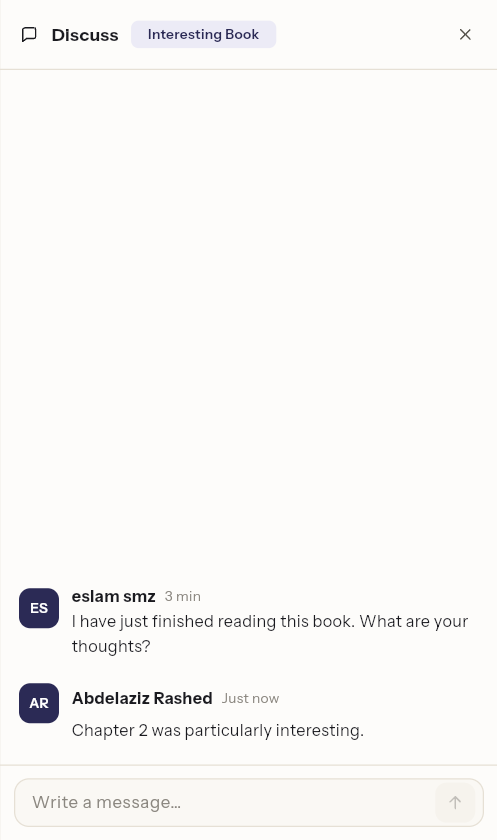
Each node has its own discussion. Everyone who can open this node sees it.
Write a message
- Type in Write a message….
- Click Send.
New messages appear for everyone straight away. Long messages are shortened; click Show more to read all of it.
You need to be logged in to send messages. If you aren't, you see Log in to join the discussion. Anyone who can open the node can read the discussion.
Delete messages
- Your own message: point at it and choose Delete message, then confirm. This can't be undone.
- As the NodeBook's owner, you can delete anyone's message, or clear the whole discussion with Delete all messages.
If a message doesn't send
You see Not sent. Click Send again. If the discussion won't load, check your connection and reopen it.
Essential Canvas Controls:
Was this article helpful?